

Give each yarn a short code once, then use the code wherever the colour changes.
Name your colours
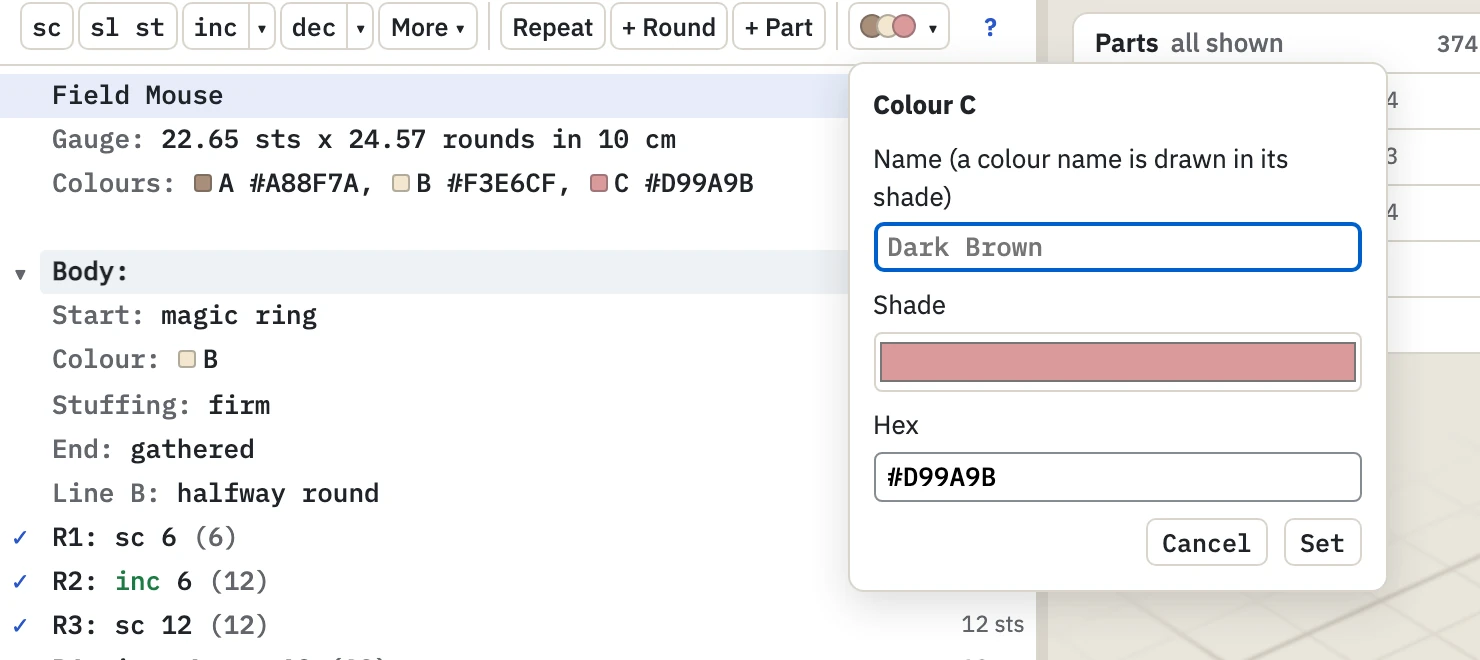
List the colours on the Colours line, above the first part.
Field Mouse
Colours: A Taupe #A88F7A, B Cream #F3E6CF, C RoseEach colour is a code, then a name, a shade, or both. A name alone is drawn in its own shade: Rose, Dark Brown, Light Grey.
Edit a colour or add one
Click the colour button above the text.
- Edit, beside a colour, opens its name and shade. The toy shows the new shade while you choose.
- + Add a colour adds the next code to the line.
Start a part in a colour
Ears (make 2):
Colour: C
R1: sc 6Change colour between rounds
Write in and the code at the start of the round. The colour stays until the next change or the end of the part.
R3: sc 12
R4: in A, sc 12
R5: [sc, inc] 6 timesYou can also do this on the toy. In Edit, pick the rounds and choose a Colour: see Change a round.
Change colour within a round
R5: sc 6, sc 6 in B
R6: sc 3, in C, sc 9sc 6 in Bcolours those six stitches only.in C,between stitches changes the colour from there on.
Colour the embroidery
Click the embroidery in Edit and choose its Colour. In the text, the colour is part of its assembly line: in black, in C.
Safety eyes are always drawn black.
If a colour is not found
"Body is in colour "D", which is not in Colours" means the code is missing from the Colours line. Add it there, or use + Add a colour.